
When completing a check via the Credas app, the unique check code is required.
The unique check code is visible on the opening stages of the check, but some may find it tricky to navigate to that point.
Note: To identify where it is visible in the check, see section 2, step 20 of our click though process here: https://app.storylane.io/share/szzsyrusdkif
To help in cases that it cannot be found via the above guide, the code is accessible via the unique link emailed to the person being checked.
From their email, they can click to open the link in browser, or copy and paste it in to their URL bar and hit enter.
Once the page has loaded, the link will appear with their check details.
Note: It is not in the link in the email, please load the page first and the URL bar will then show the details.
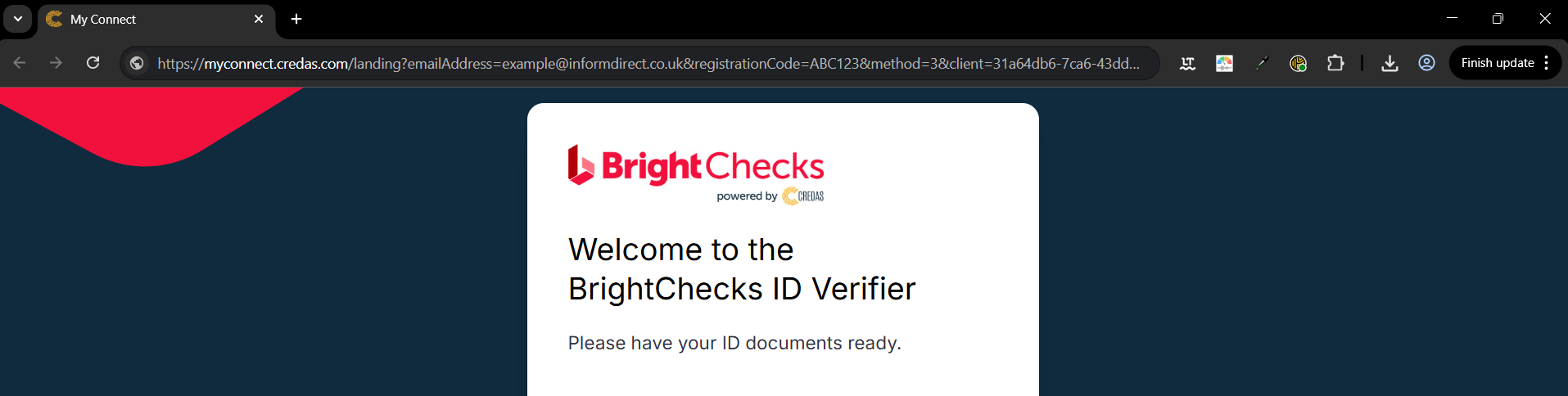
The link will contain their email address and registration code - it is the registration code which is key.
Within the URL they will see the text registrationCode= and it will be a 6 digit code consisting of numbers and letters.
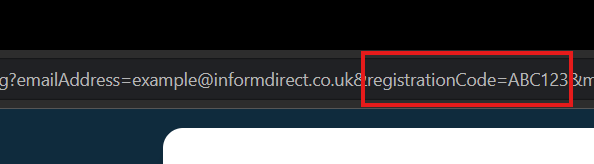
Entering the 6 digit registration code in to the Credas app will locate their check.